

I was tasked with finding out the total number of emails received for a specific set of mailboxes as they wanted an idea to plan migration to M365.
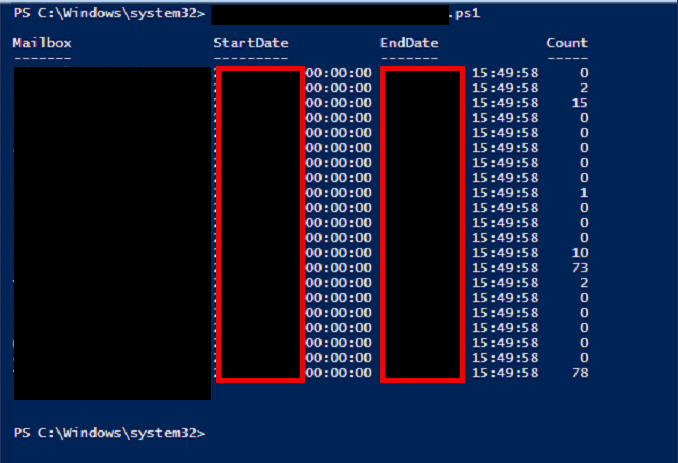
The script I put together was tweaked with Claude to fix an output problem I had. Below is what the end result was:
Script
I saved the script as a PS1 file and ran it from an Exchange server. You need to modify two sections in the script:
- $StartDate
- $mailboxes
# Define start date
$StartDate = (Get-Date '2025-01-01')
$EndDate   = (Get-Date)

# List of mailboxes (SMTP addresses or identities)
$mailboxes = @('[email protected]','[email protected]','[email protected]')

# Get all transport servers
$servers = Get-TransportService | Select-Object -ExpandProperty Name

# Prepare results
$results = @()

foreach ($mbx in $mailboxes) {
    $count = 0

    foreach ($svr in $servers) {
        # Query message tracking logs for DELIVER events
        $logs = Get-MessageTrackingLog -Server $svr -Start $StartDate -End $EndDate `
            -EventId DELIVER -Recipients $mbx -ResultSize Unlimited -ErrorAction SilentlyContinue

        $count += ($logs | Measure-Object).Count
    }

    # Add to results
    $results += [pscustomobject]@{
        Mailbox   = $mbx
        StartDate = $StartDate
        EndDate   = $EndDate
        Count     = $count
    }
}

# Display results
$results | Format-Table -AutoSize

# Optional: Export to CSV
# $results | Export-Csv -Path .\MailboxEmailCounts.csv -NoTypeInformation

$mailboxes = Import-Csv .\mailboxes.csv | Select-Object -ExpandProperty SMTPAddress